Description
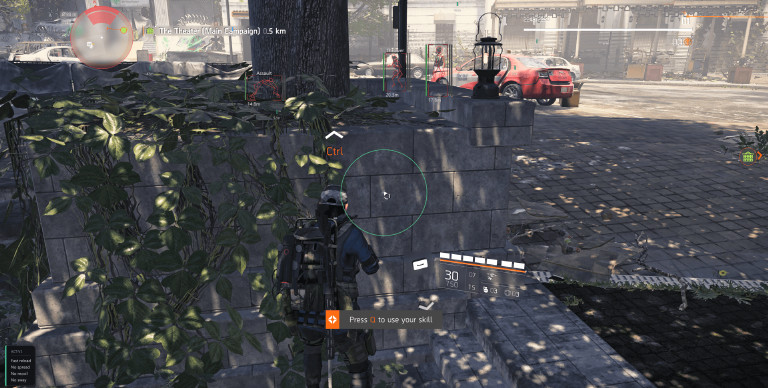
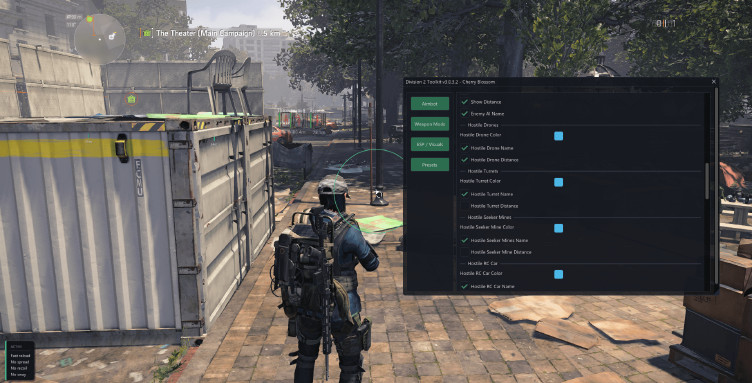
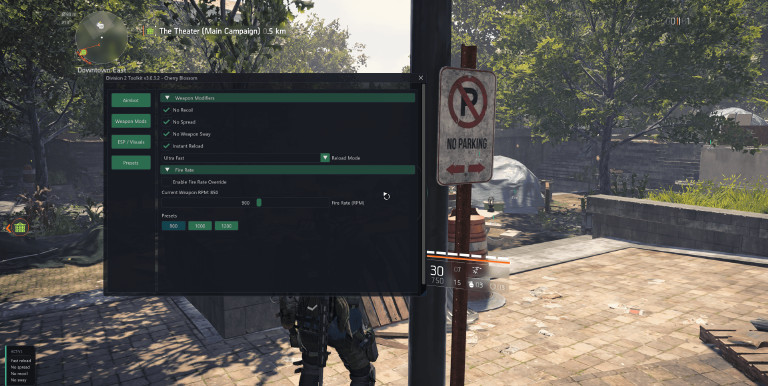
Free download of the Division 2 Toolkit cheat is available on ExLoader, delivering a comprehensive hack package for Tom Clancy's The Division 2. A JSON-driven preset system is included, with configurations auto-loaded at startup for hassle-free sessions. Five crosshair styles — Dot, Cross, Circle, T, and Hybrid — can be fully customized through size, thickness, color, and positioning controls, while an FOV circle is rendered with adjustable radius and color options. Loot stashes, exotic gear drops, and containers are highlighted by dedicated Item and Container ESP. Full visual awareness is provided through separate ESP layers for hostile, allied, and neutral agents, featuring box outlines, skeleton rendering, Head Halo indicators, distance readouts, HP and armor bar overlays, per-category tuning, and configurable render distance to keep massive areas like Dark Zone visually manageable. Weapon Mods deliver Fire Rate Override at user-defined RPM, No Recoil, No Spread, No Weapon Sway, and Instant Reload offered in Ultra and Safe variants tailored for rage or legit playstyles. Server-side hitreg is bypassed by Silent Aim operating across identical priority modes. Menu interaction triggers automatic deactivation of both aimbot and silent aim — accidental inputs are effectively eliminated by this subtle safeguard. Three targeting modes — Crosshair, Distance, and Hybrid — are handled by the smart priority Aimbot, with hold and toggle activation supported, Blind Fire functionality enabled for shooting behind cover, customizable target switch delay, and refined smoothing calibrated for legit gameplay. Both DX11 and DX12 renderers are fully supported, ensuring every client build runs without configuration issues across all Dark Zone PvP and PvE encounters.
📝 Known issues:
Injection will fail to produce any visible cheat menu overlay if two specific Windows parameters have not been deactivated beforehand — Game Mode is required to be switched off at Settings → Gaming → Game Mode, while Optimization for windowed games should be disabled through System > Display > Graphics > Optimization for windowed games, and both are treated as absolute mandatory prerequisites that must be turned off completely prior to game launch, otherwise the mod menu interface cannot be rendered post-injection under any circumstances.
Comments
25Doesn't work even after yesterday's update. It also requires the launch parameter -disable_eos_sdk, which in the game itself leads to error CHARLIE 03. Without this parameter, the mod with the game will not launch.
Shooting through walls very often doesn't work.
In earlier versions, aim worked well. Now I have to do it with the mouse
This version is no longer valid. Please have the administrator update it as soon as possible. Thank you.🙏
after the last update, aimbot and wall hack do not work
When I kill an enemy, the loot falls at my feet, so the resources are left on the ground and often unpickable. Sometimes after a long time.
Unfortunately, the mod does not work -disable_eos_sdk - it is impossible to open the mod menu
It is very good only where they updated the aimbot, magic bullet and esp they are not working I hope they update later
the -disable_eos_sdk command no longer works, when starting the game it gives the error CHARLIE-03 (the game must be launched using anti-cheat)
top cheat, I recommend aim, fix it, it works a little poorly
bro update the script
Not relevant. The game has been updated
It goes to the main menu and it’s impossible to continue the game; it requires anti-cheat notes
With the new *The Division 2* update, the anti-cheat blocks you when you press "Continue" on the character selection screen if you have the `-disable_eos_sdk` string enabled, resulting in a "Charlie-03" error.
I'm having trouble opening the mod menu
I've tried everything now but the mod no longer works for me, I always get the error message that AntiCheat or Defender is blocking the mod even though I have released it.